 Dupey Consulting
Field note
Kolton Dupey7 min read
Google Maps Lead Generation: Automate Business Discovery with n8n (Step-by-Step Guide)
Automation · web
Quick summary
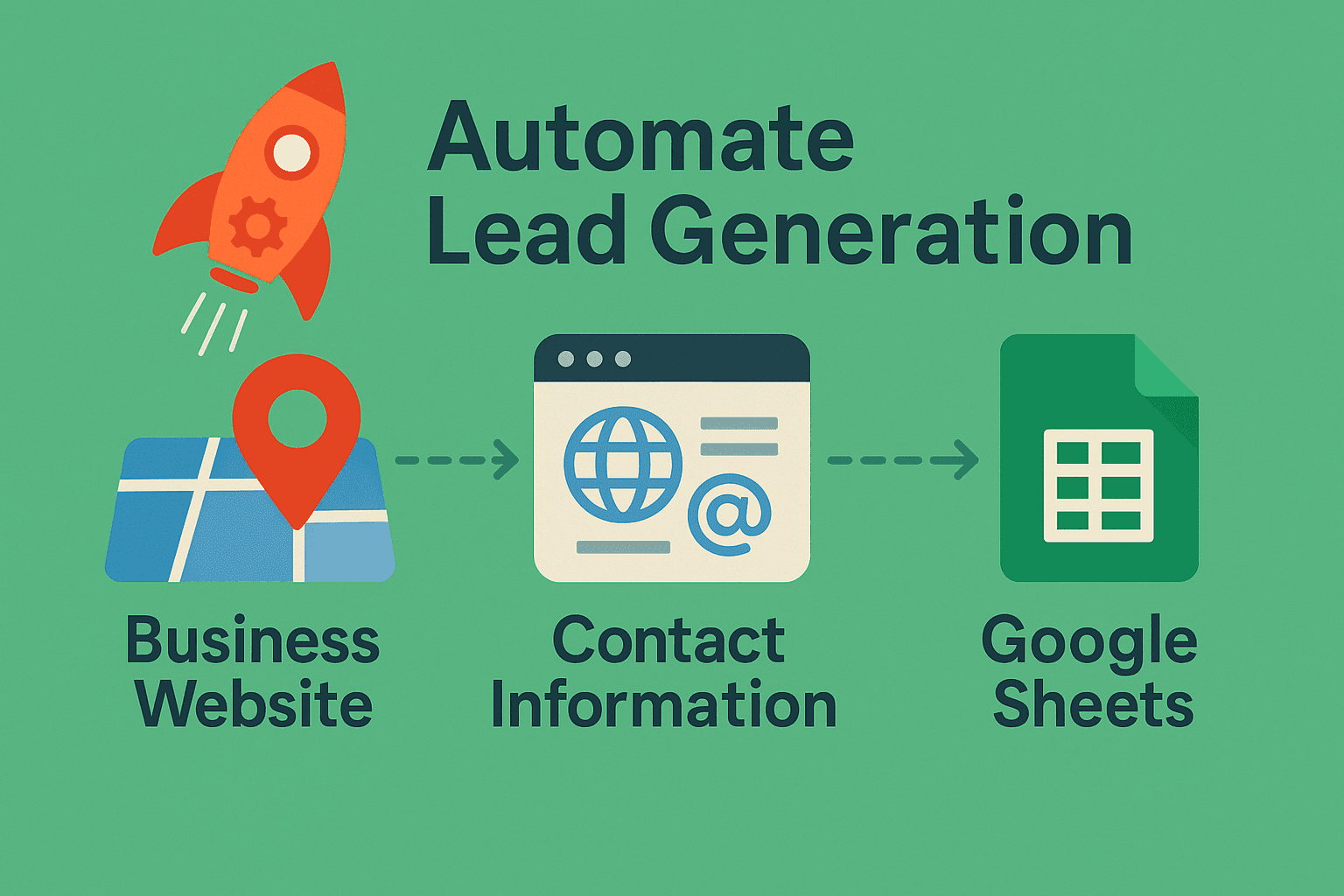
This workflow searches Google Maps for businesses in your niche, resolves each listing to its website, scrapes the site with polite rate-limits, extracts valid emails + company info, de-duplicates, and appends the results to Google Sheets-perfect for outbound campaigns.
The problem
Manually building prospect lists from Maps data, websites, and inboxes does not scale - and ad-hoc scrapers break when sites change.
The fix
An n8n chain: Places search → place details → polite website fetch → parsing → de-dupe → Sheets, with configuration notes for running it safely.
🧠 Why this exists
- Finds relevant businesses by query + location
- Resolves official websites (not Google URLs)
- Extracts emails reliably with smart cleaning/validation
- Builds a structured sheet for your CRM or mailer
- Scales safely with delays and error handling
🖊️ Resources Used
- n8n - workflow automation platform
- Google Places API - Free 1,000 requests with any Google Account
- Google Sheets - for housing collected information
🏗️ Architecture Overview
- Search: Google Places Text Search to get a page of relevant businesses (e.g., "financial advisor Wisconsin").
- Details + Website: Places Details API per business to get the official website + phone + Maps URL.
- Scrape: HTTP GET against each website with a sane User-Agent and a short Wait between requests.
- Extract + Clean: Regex to find emails, decode HTML, normalize, and split to single-row items.
- De-dupe + Filter: Remove repeats and drop empty rows.
- Export: Append to Google Sheets with columns [company, emails, website, address, phone].
🧩 Node-by-Node (exact flow)
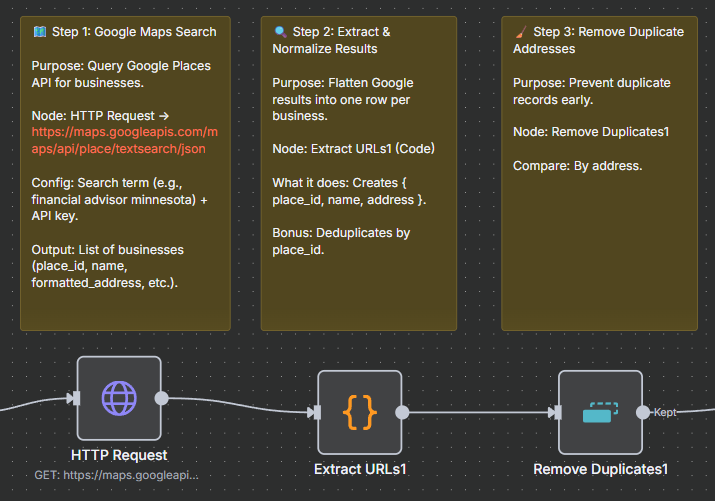
1) 🔎 HTTP Request - Google Places Text Search
- Endpoint:
- Query:
query=YOUR_QUERY(e.g., dentist Minnesota) - Auth:
key=${GOOGLE_PLACES_API_KEY} - Output: list of places (place_id, name, formatted_address, …).
2) 🧽 Code - Extract URLs / Normalize Results
- Flattens search response → one item per place.
- De-duplication by place_id in case of overlaps.
3) ♻️ Remove Duplicates - (First Pass)
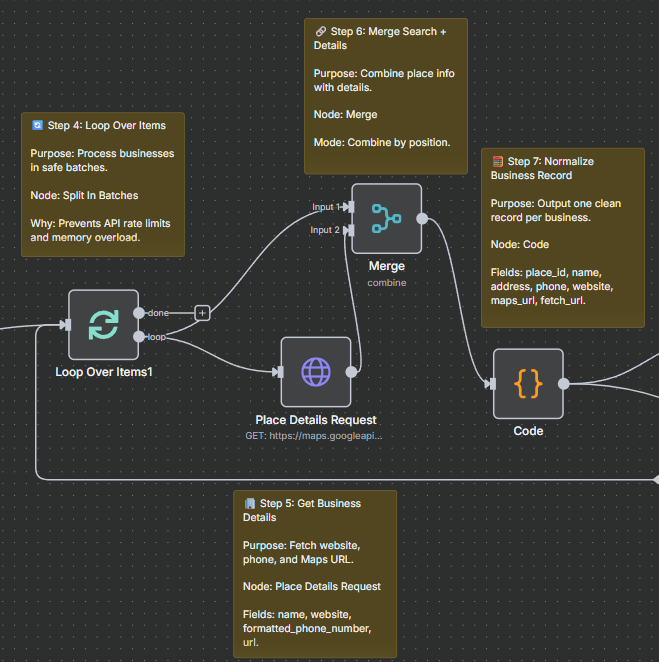
4) 📦 Split in Batches - Loop Over Items
5) 🌐 HTTP Request - Places Details (Website Resolution)
- Endpoint:
https://maps.googleapis.com/maps/api/place/details/json - Fields: name, website, formatted_phone_number, url.
- Output: the official business website.
6) 🔗 Merge → 🧮 Code - Normalize Merge
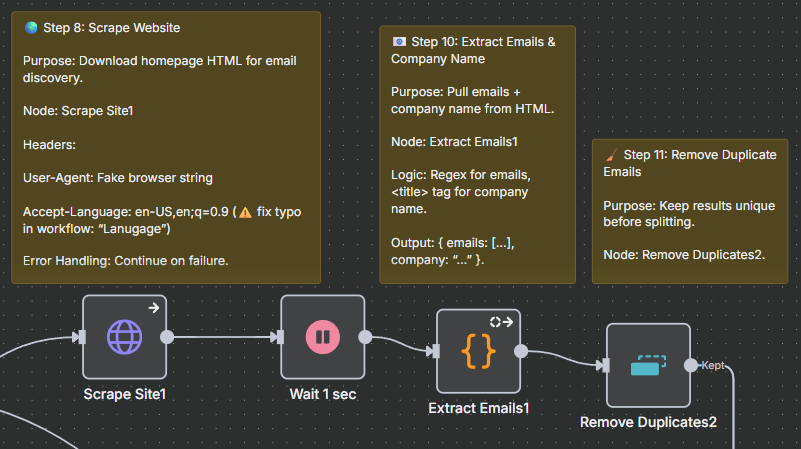
7) 🌍 HTTP Request - Scrape Site
- GET
{{ $json.fetch_url }}with headers (User-Agent, Accept-Language). onError: continueensures workflow never halts.
8) ⏱️ Wait - 1 second
9) 🧪 Code - Extract Emails + Company (from <title>)
10) 🧹 Remove Duplicates - (Second Pass)
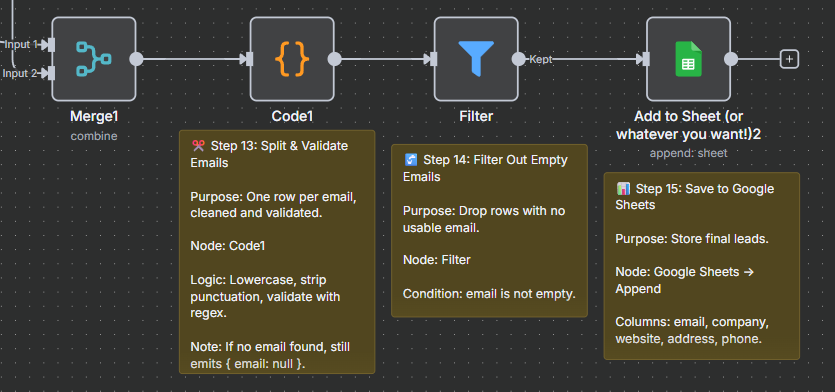
11) 🧰 Code - Split/Validate Emails
12) 🚰 Filter - Drop Null Emails
13) 📤 Google Sheets - Append
- company
- website
- address
- phone
🗺️Steps 1-3
🗺️Steps 4-7
🗺️Steps 8-11
🗺️Steps 12-15
🔄 Replicability Across Industries
- Real Estate 🏠: Scrape agents or property managers in a given city.
- Law Firms ⚖️: Pull contact info for attorneys in specific practice areas.
- Marketing Agencies 📈: Find local businesses in target niches like restaurants, gyms, or salons.
- Consultants 💼: Identify businesses in need of your services by geography + industry keywords.
🛠️ Configuration Notes
- Queries: Adjust by niche + geography.
- API Keys: Store safely in n8n creds/env.
- Delays: 1–2s between requests; increase if 429s appear.
- Headers: Realistic User-Agent.
- Error Tolerance: Keep
onError: continuefor resilience.
🧪 Email Extraction: Making It Robust
- ✅ Validation: regex + MX check if needed
- 🧼 Sanitization: remove junk characters and URL fragments
- 🔁 De-dupe: Sets for local & global uniqueness
- 🧾 Company Name: from <title> tag, decode entities
📈 Scaling & Ops
- Pagination: Handle next_page_token from Google API.
- Concurrency: Low + steady beats bans.
- Retries: Add exponential backoff if needed.
- Monitoring: Log counts: places, sites, emails, rows.
- Storage: Add DB node for "already-seen".
- CRM Sync: Push directly into Salesforce, HubSpot, etc.
🚀 How to Import & Run
- Import JSON workflow into n8n.
- Configure Google Sheets + Places API credentials.
- Update search query in Text Search node.
- Test with a single query.
🚀 Next Steps
- Enrichment: add Clearbit/LinkedIn scraping.
- Verification: SMTP-free email checks.
- Outreach: pipe into MailerLite/HubSpot.
- Attribution: log outreach results in CRM.
❓ Frequently Asked Questions
Is this Google Maps lead generation method legal?
How much does it cost to run this Google Maps automation?
Can I use this for industries other than the examples shown?
Do I need coding experience to set up this n8n workflow?
Related services
If you need this kind of work for your business, these are the closest scoped service pages.
Related project field notes
More field notes
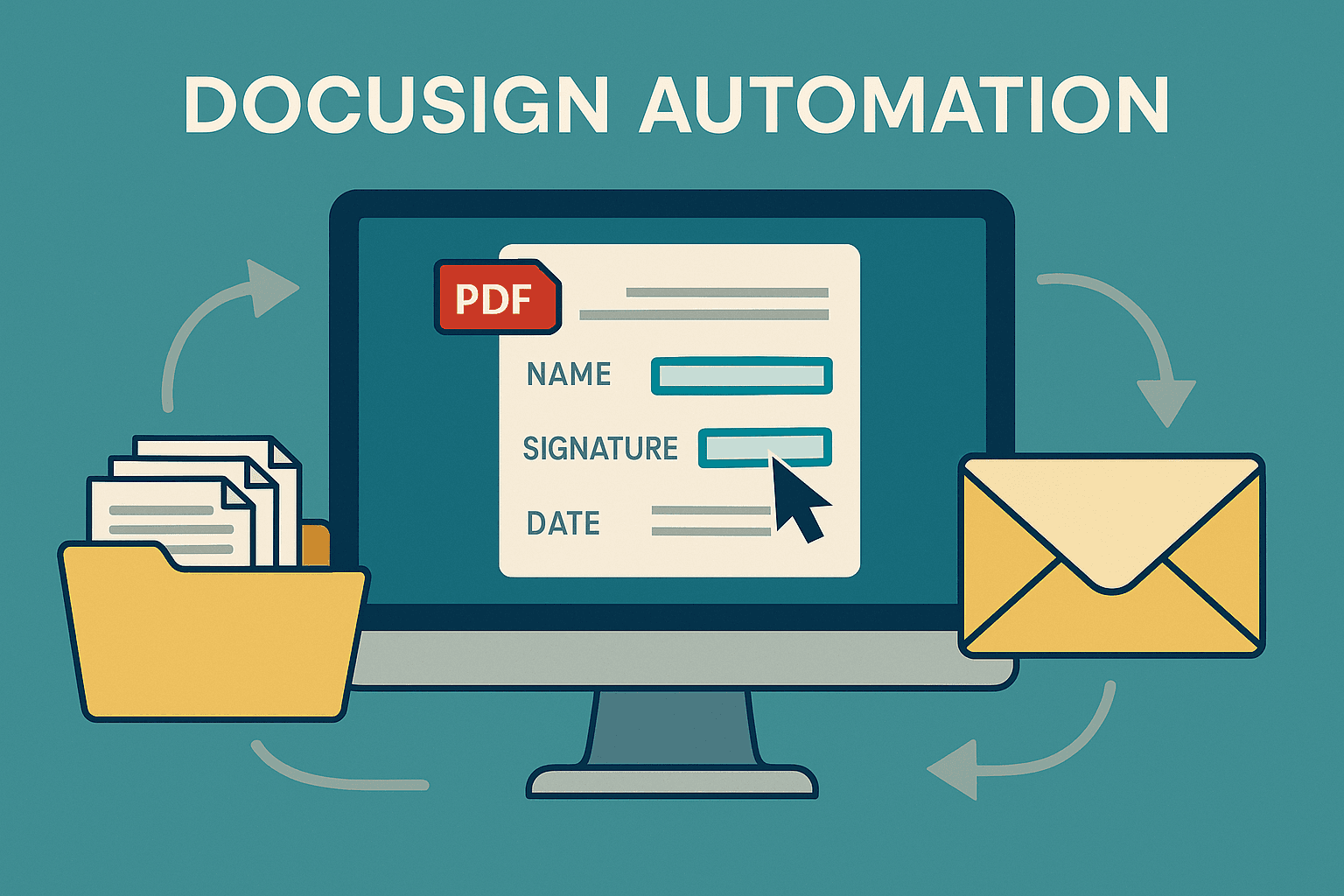
The Ultimate Guide to Enterprise Document Automation: A Deep Dive into Advanced DocuSign Integration
Explore a sophisticated Python-based DocuSign automation system with over 2,400 lines of production-ready code that transforms manual document workflows into highly efficient, scalable operations for enterprise environments.
15 min read · 2025-08-22
Read field note →
Automating Earnings Call Intelligence with Python, GPT-4, and Twitter Integration
Learn how to build an end-to-end automation pipeline that scrapes earnings call transcripts, summarizes them using GPT-4, extracts sentiment and strategic insights, and posts results to Twitter for scalable financial content production.
10 min read · 2025-07-23
Read field note →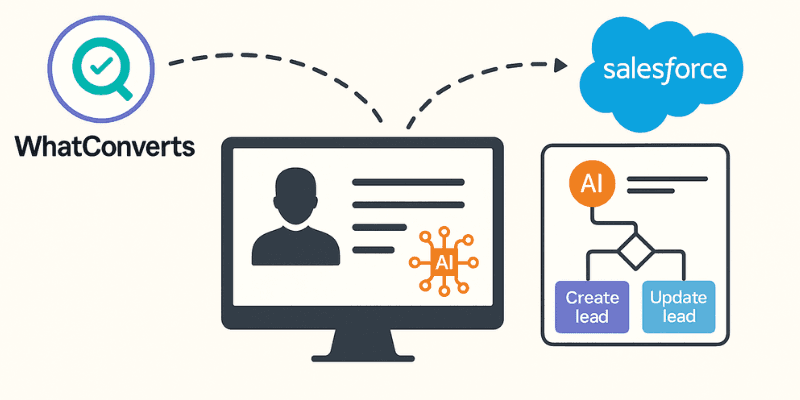
From Click to CRM - Automating Lead Flow from WhatConverts to Salesforce with AI-Powered Precision
Discover how to build an intelligent automation system that captures leads from WhatConverts and seamlessly integrates them into Salesforce with AI-enhanced data processing using Zapier.
5 min read · 2025-07-14
Read field note →Running into something similar?
This note is from a real constraint and a real project. If you are dealing with something adjacent, send a message or book a short call - I will give you a straight answer on scope and fit.