 Dupey Consulting
Field note
Kolton Dupey15 min read
The Ultimate Guide to Enterprise Document Automation: A Deep Dive into Advanced DocuSign Integration
SaaS · systems
Quick summary
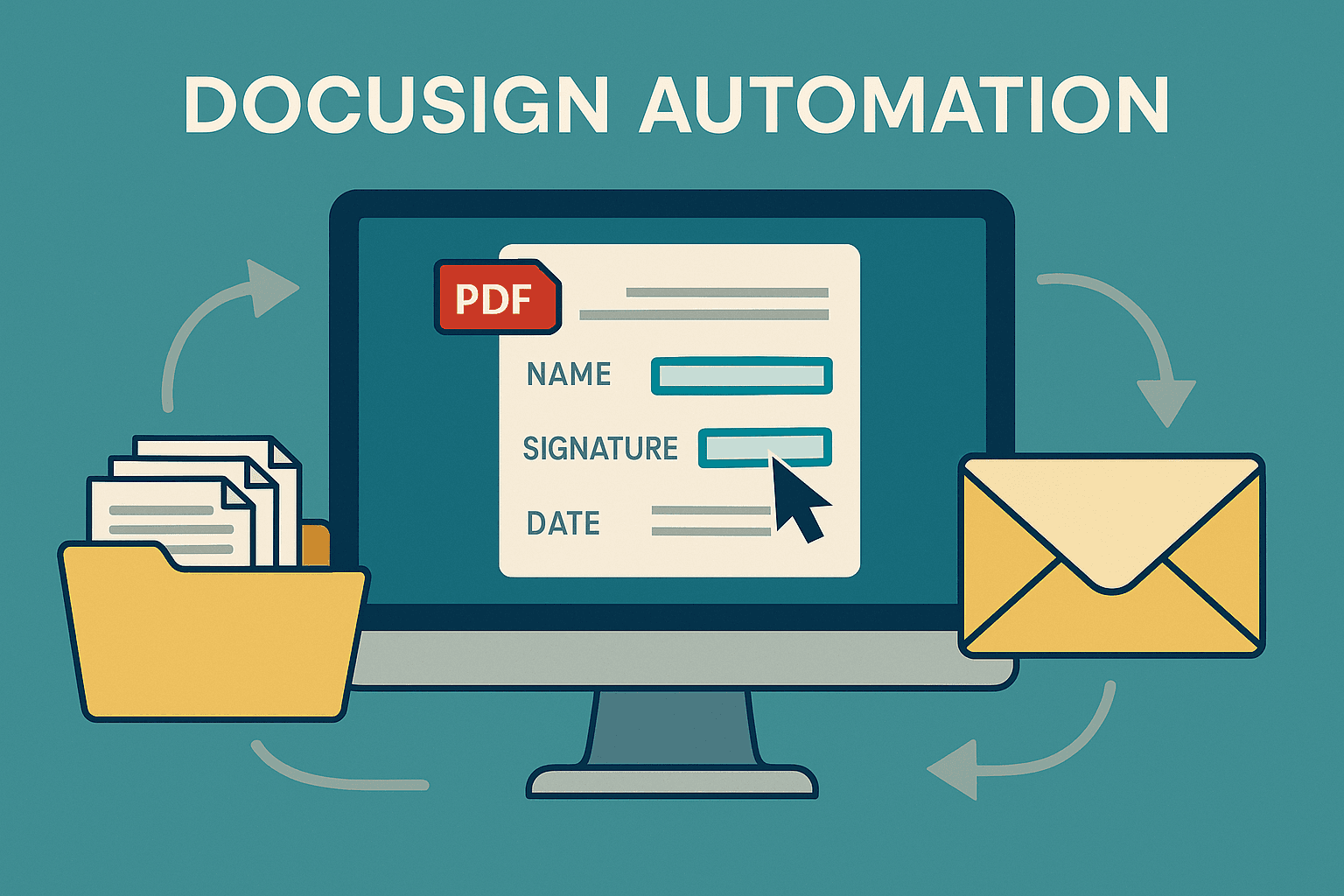
Explore a sophisticated Python-based DocuSign automation system with over 2,400 lines of production-ready code that transforms manual document workflows into highly efficient, scalable operations for enterprise environments.
🏗️ System Overview and Architecture
🎯 Core Purpose and Scope
🧱 Technical Architecture
- Authentication Layer: Handles secure OAuth 2.0 JWT Bearer token authentication
- PDF Processing Layer: Manages document analysis, form field detection, and optimization
- Template Management Layer: Creates and configures DocuSign templates with precise signature placement
- Batch Processing Layer: Orchestrates large-scale document processing with error recovery
- Data Management Layer: Handles CSV data processing and result tracking
Technology Stack 🛠️
- Primary Language: Python 3.x with comprehensive library integration
- API Integration: DocuSign REST API v2.1 for all eSignature operations
- PDF Processing: PyPDF2 for advanced PDF manipulation and form field analysis
- Data Processing: Pandas for CSV data manipulation and validation
- HTTP Communication: Requests library with advanced error handling
- Security: JWT for secure authentication and token management
- Logging: Comprehensive logging system for audit trails and debugging
📂 Advanced Document Processing Capabilities
🧠 Intelligent PDF Field Analysis
modify_pdf_field_names() function demonstrates advanced PDF
manipulation: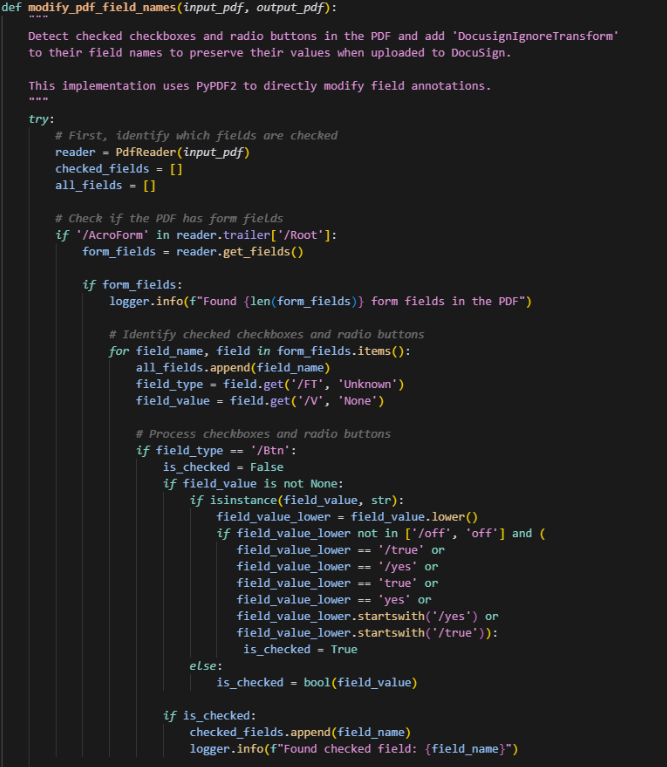
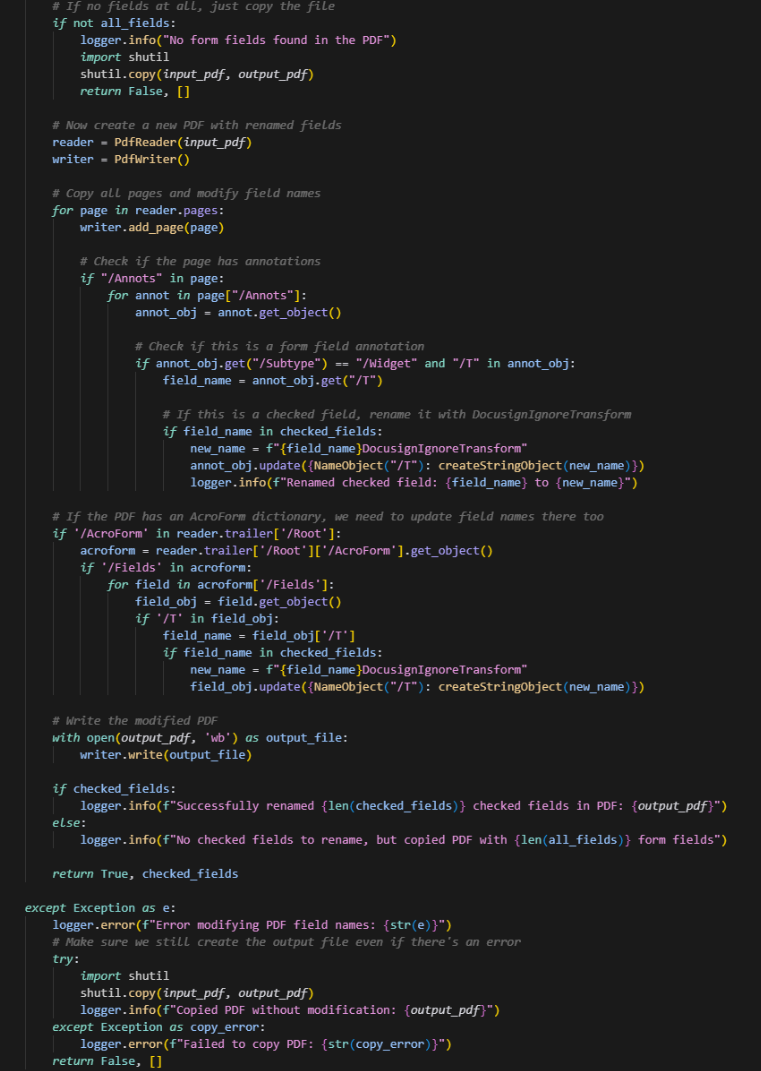
- Field Detection: Scans PDFs for form fields using PyPDF2's advanced parsing capabilities
- State Analysis: Determines which checkboxes and radio buttons are checked
- Field Preservation: Renames checked fields with "DocusignIgnoreTransform" suffix to prevent DocuSign from overwriting pre-filled values
- Document Integrity: Maintains PDF structure while modifying only necessary field names
Multi-Recipient Signature Management 👥
- Primary Signers: Typically account holders or primary beneficiaries
- Secondary Signers: Joint account holders or secondary beneficiaries
- Witnesses: Legal witnesses or notaries
- Carbon Copies: Recipients who need to be informed but don't sign
add_template_signers() function demonstrates
sophisticated recipient management: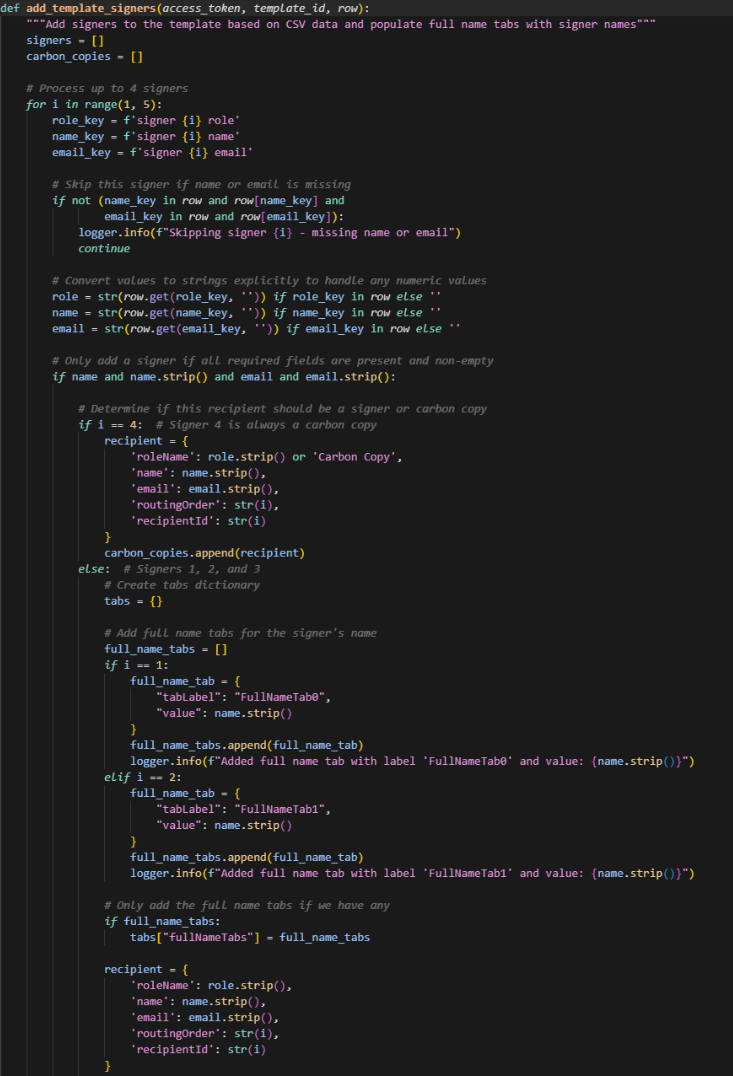
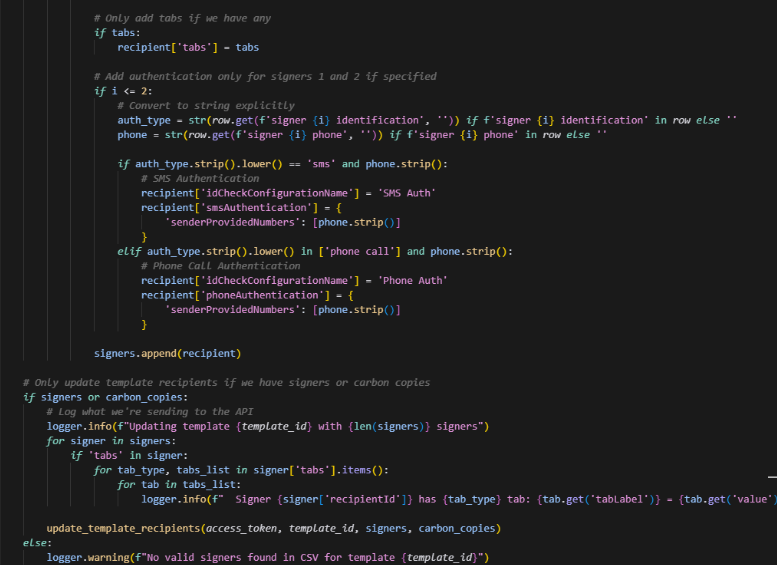
- Processes up to 4 signers per document
- Automatically assigns appropriate roles and routing orders
- Implements authentication methods (SMS, phone call) based on configuration
- Populates full name tabs with signer information
- Handles carbon copy recipients for informational purposes
Advanced Authentication and Security 🔐
JWT Token Management
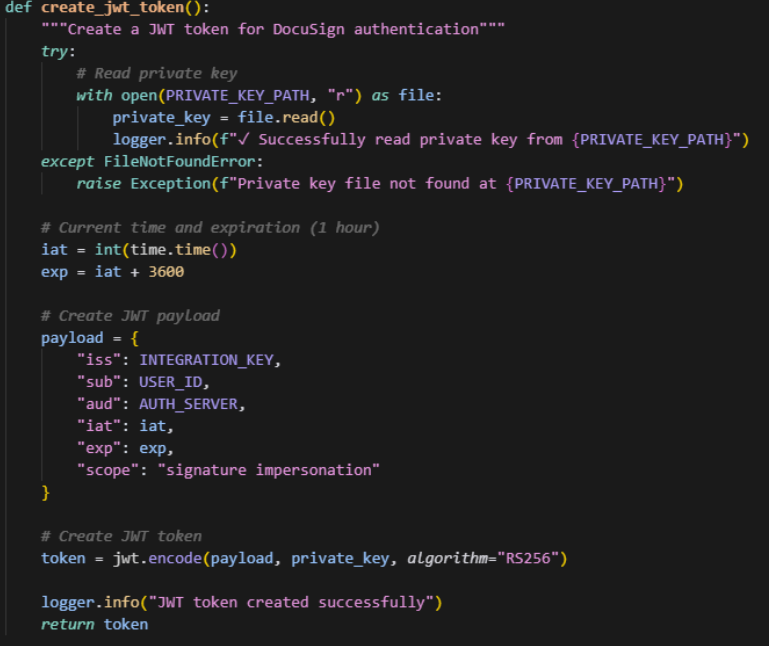
- Token Expiration: 1-hour token lifetime with automatic refresh
- Scope Limitation: Restricted to signature and impersonation scopes
- Secure Storage: Private key stored separately from code
- Audit Logging: Complete authentication event tracking
Rate Limiting and Error Recovery
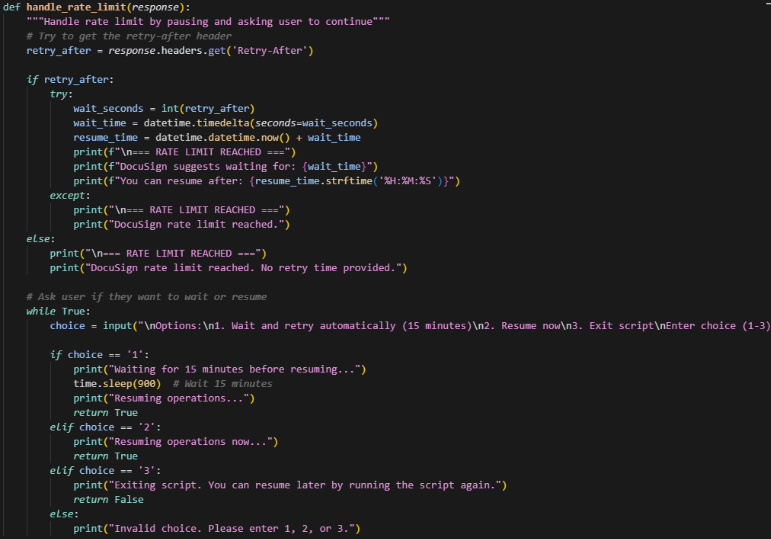
- Automatic Detection: Identifies rate limit responses from DocuSign
- User Choice: Allows users to wait, resume immediately, or exit
- State Preservation: Saves progress before pausing
- Intelligent Retry: Resumes from exact point of interruption
📊 Batch Processing and Scalability
🧾 CSV-Driven Workflow Automation
- Account Name
- File Name
- Document Type
- Signer 1-4 role, name, email, identification method, phone
- Dynamic Signer Detection: Automatically counts valid signers per document
- Template Selection: Maps document types to appropriate template configurations
- File Discovery: Searches multiple folder structures for documents
- Error Isolation: Continues processing even if individual documents fail
Resume and Recovery Capabilities
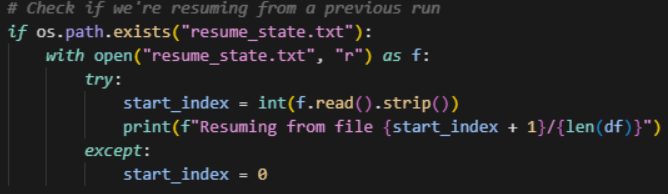
- State Persistence: Saves current processing position
- Automatic Recovery: Detects and resumes from interruption points
- Progress Tracking: Real-time progress updates
- Error Recovery: Handles various failure scenarios gracefully
⏱️ Real-Time Result Tracking
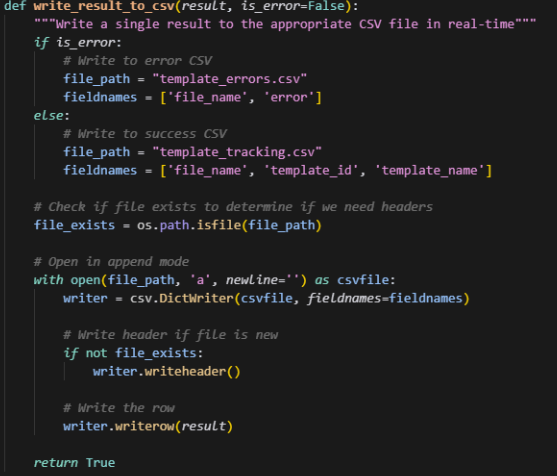
- Success Tracking: Records successful template creations
- Error Logging: Captures and categorizes all errors
- Real-Time Updates: Writes results immediately after each document
- Audit Trail: Complete processing history for compliance
Intelligent File Management 📁
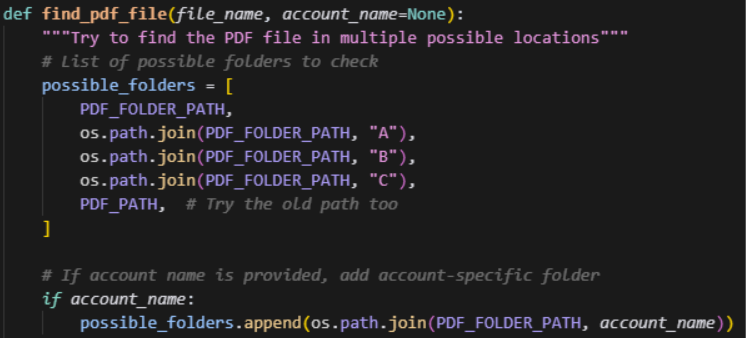
- Alphabetized Organization: Supports A, B, C folder structures
- Account-Specific Folders: Handles client-specific organization
- Fallback Paths: Multiple search strategies for file location
- Deep Search: Recursive directory scanning when needed
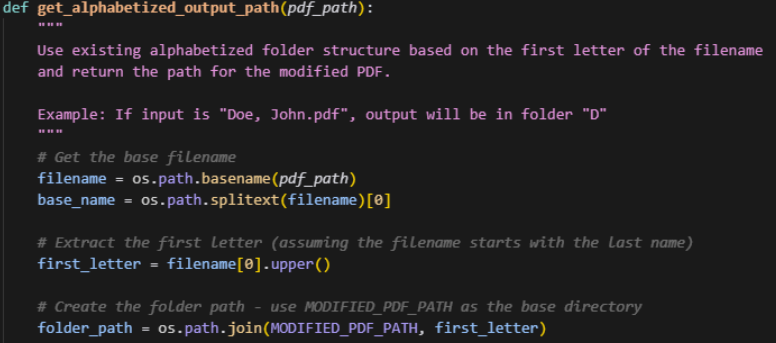
- Scalable Structure: Supports thousands of documents
- Easy Navigation: Intuitive folder organization
- Performance: Reduces file system overhead
- Maintenance: Simplifies document management
📝 Advanced Template Creation and Management

- Page-Specific Coordinates: Precise X, Y positioning on each page
- Multi-Signer Support: Different locations for each signer
- Field Types: Signature, date, initial, and full name tabs
- Dynamic Adjustment: Automatically adjusts based on signer count

- Field Detection: Automatically identifies PDF form fields
- Value Preservation: Maintains pre-filled values where appropriate
- Type Conversion: Converts PDF fields to DocuSign tabs
- Validation: Ensures field integrity during transformation
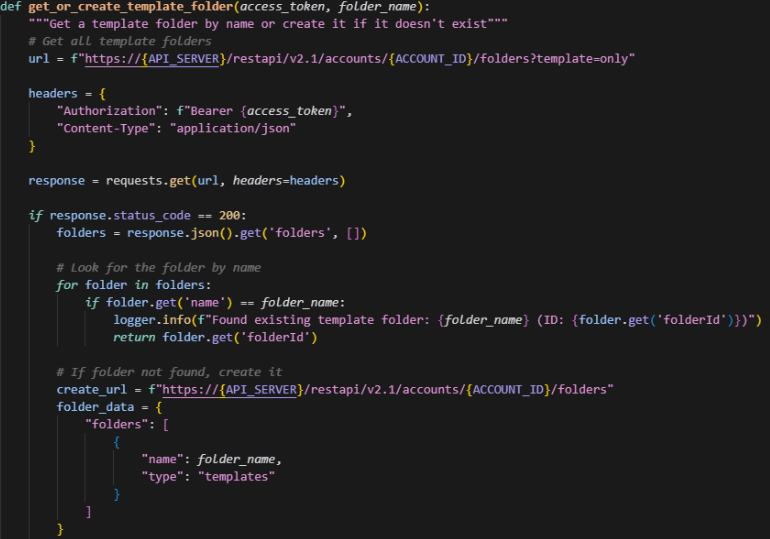
- Automatic Creation: Creates folders if they don't exist
- Hierarchical Organization: Supports nested folder structures
- Template Categorization: Organizes templates by document type
- Access Control: Manages template visibility and permissions
Error Handling and Reliability 🛡️
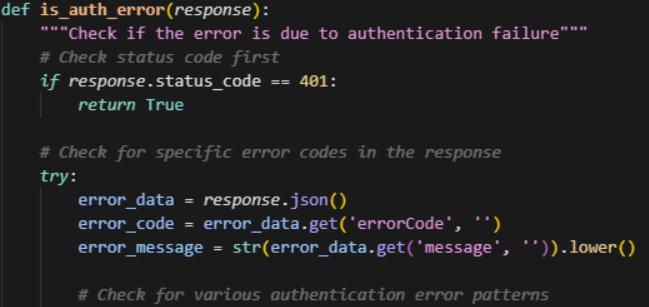
- Authentication Errors: Token expiration, invalid credentials
- Rate Limiting: API quota exceeded
- File System Errors: Missing files, permission issues
- Network Errors: Connectivity problems, timeout issues
- API Errors: Invalid requests, server errors
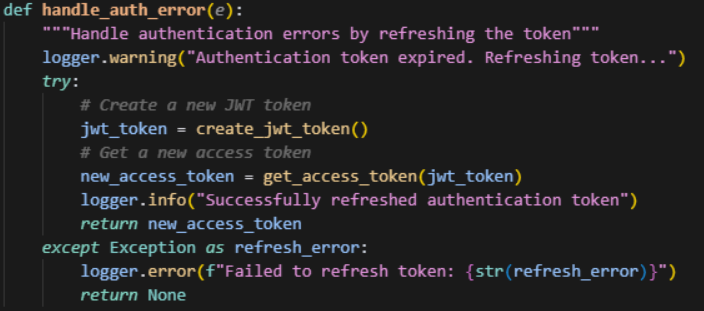
- Token Refresh: Automatic authentication token renewal
- Retry Logic: Intelligent retry with exponential backoff
- State Preservation: Maintains processing state during recovery
- Graceful Degradation: Continues processing despite individual failures
🧾 Comprehensive Logging and Monitoring

- Structured Logging: Consistent log format with timestamps
- Level-Based Filtering: INFO, WARNING, ERROR level support
- Audit Trail: Complete processing history
- Debug Information: Detailed error context and stack traces
Performance Optimizations ⚡
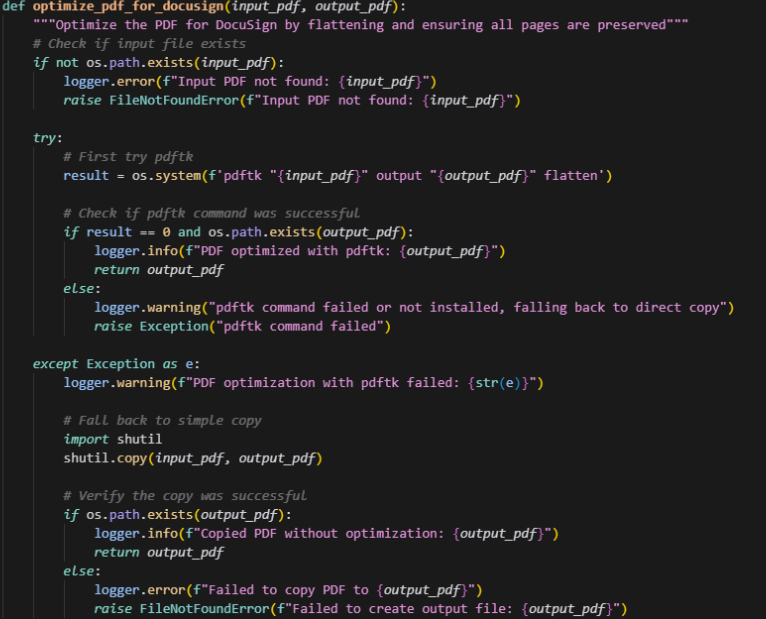
- PDF Flattening: Reduces file size and improves compatibility
- Memory Management: Efficient handling of large PDF files
- Batch Processing: Processes multiple documents simultaneously
- Caching: Reuses processed documents when possible

- Scheduled Token Refresh: Prevents unnecessary authentication calls
- Batch Operations: Groups related API calls when possible
- Connection Reuse: Maintains persistent HTTP connections
- Response Caching: Caches frequently accessed data
💼 Business Impact and ROI
- Manual Processing: 15-30 minutes per document manually
- Automated Processing: 30-60 seconds per document
- Overall Reduction: 90-95% reduction in processing time
- Error Reduction: Eliminates human error in signature placement
- Consistency: Ensures uniform template structure
- Compliance: Maintains regulatory requirements automatically
- Batch Processing: Handles hundreds of documents simultaneously
- Parallel Processing: Supports multiple concurrent operations
- Resource Efficiency: Optimizes memory and CPU usage
- 24/7 Operation: Can run continuously without human intervention
- Geographic Distribution: Supports remote processing capabilities
- Integration Ready: Easily integrates with existing systems
- Labor Reduction: Significantly reduces manual processing costs
- Error Correction: Minimizes costs associated with processing errors
- Compliance: Reduces regulatory compliance costs
- Faster Turnaround: Improves customer satisfaction
- Resource Allocation: Frees staff for higher-value activities
- Risk Mitigation: Reduces compliance and legal risks
Implementation and Deployment 🚀
- CPU: Multi-core processor for parallel processing
- Memory: 8GB+ RAM for large batch processing
- Storage: SSD storage for optimal I/O performance
- Network: Stable internet connection for API communication
- Python 3.7+: Core runtime environment
- Required Libraries: PyPDF2, pandas, requests, jwt, reportlab
- Operating System: Windows, Linux, or macOS
- DocuSign Account: Production API access with appropriate permissions
- API Credentials: Configure DocuSign integration key and user ID
- Private Key: Set up RSA private key for JWT authentication
- Folder Paths: Configure input and output directory structures
- Template Configurations: Set up document type mappings
✅ Conclusion
Related services
If you need this kind of work for your business, these are the closest scoped service pages.
Related project field notes
More field notes
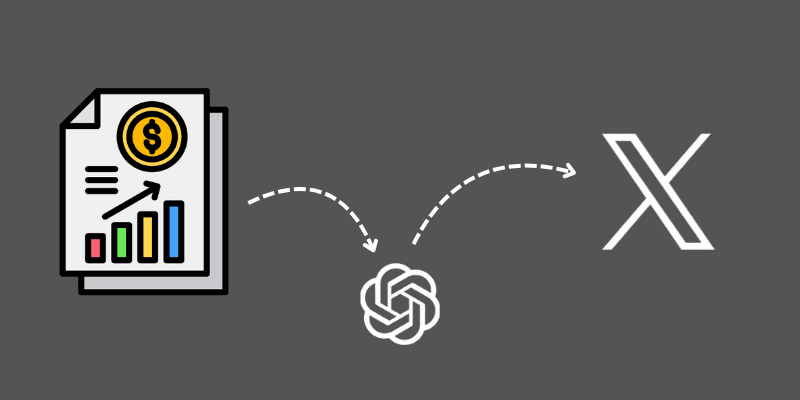
Automating Earnings Call Intelligence with Python, GPT-4, and Twitter Integration
Learn how to build an end-to-end automation pipeline that scrapes earnings call transcripts, summarizes them using GPT-4, extracts sentiment and strategic insights, and posts results to Twitter for scalable financial content production.
10 min read · 2025-07-23
Read field note →
Google Maps Lead Generation: Automate Business Discovery with n8n (Step-by-Step Guide)
This workflow searches Google Maps for businesses in your niche, resolves each listing to its website, scrapes the site with polite rate-limits, extracts valid emails + company info, de-duplicates, and appends the results to Google Sheets-perfect for outbound campaigns.
7 min read · 2025-08-31
Read field note →
From Click to CRM - Automating Lead Flow from WhatConverts to Salesforce with AI-Powered Precision
Discover how to build an intelligent automation system that captures leads from WhatConverts and seamlessly integrates them into Salesforce with AI-enhanced data processing using Zapier.
5 min read · 2025-07-14
Read field note →Running into something similar?
This note is from a real constraint and a real project. If you are dealing with something adjacent, send a message or book a short call - I will give you a straight answer on scope and fit.